Insights / AI in business
Yap Engineering: How to Get Great Work From AI by Just Talking
The short answer
Yap engineering is getting great work from AI by talking to it in long, unpolished paragraphs instead of writing a careful prompt. It builds on prompt, context and harness engineering. Speech is about three times faster than typing on a phone, and it works best when a clear goal, context and skills sit behind it.
Jessi Jean says she made 7.4 million dollars in 10 weeks selling the Yap Challenge. It was not software. It was a 40 day challenge that taught people to talk to their phone camera and post what they said.
She is not alone. Meg Kilgore says she is not an engineer. She is, however, a marketer and one of many creators online who make “yapping” style videos. Her own post says she made 250,000 dollars in 48 hours from a launch.
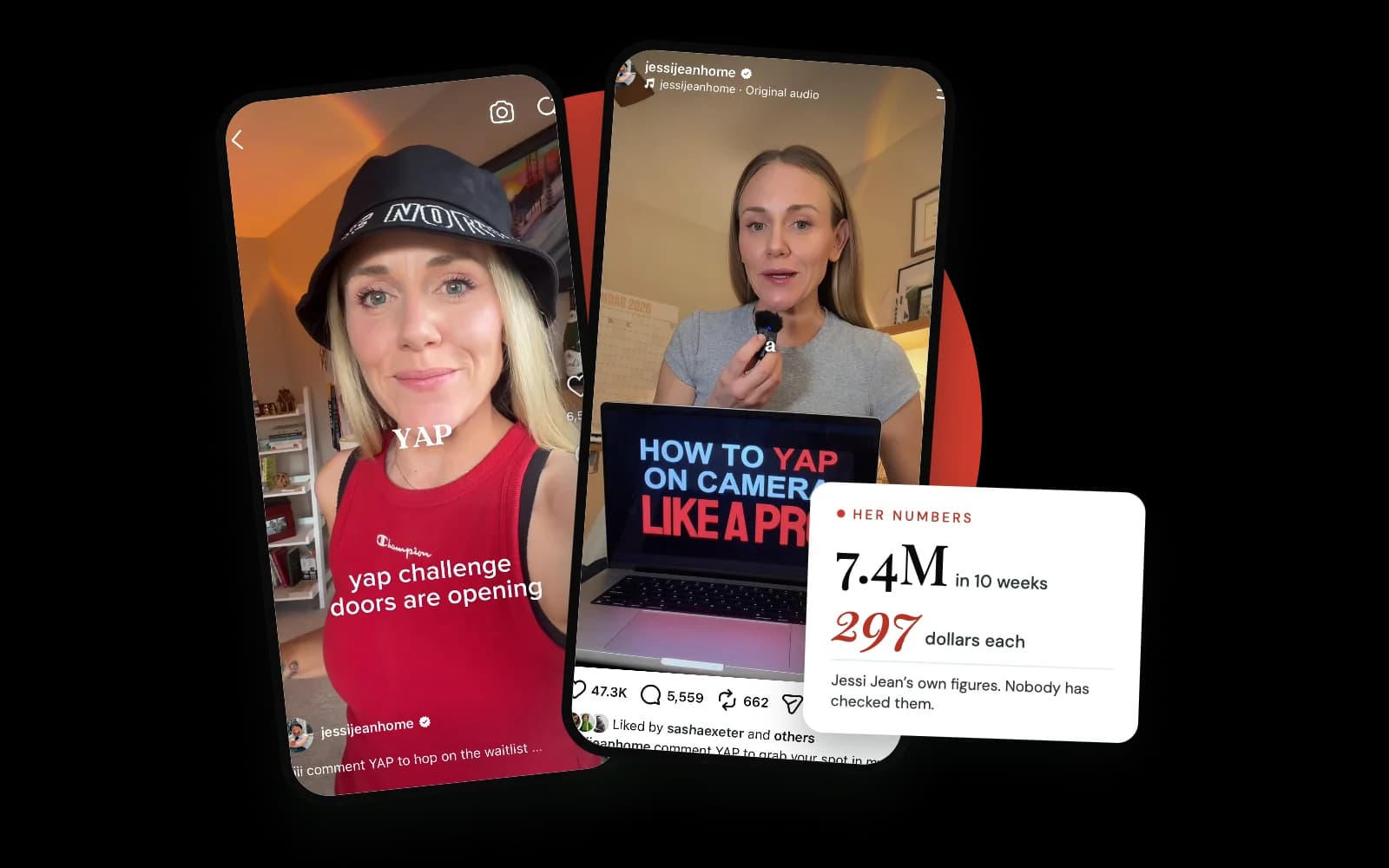

Some of the numbers matter here, so here is what is on the record. The Yap Challenge cost 297 dollars. Jessi has said her first launch brought in 1.2 million dollars with around 4,000 people in the first group, and a write-up by The Kara Report points out that these are her own figures, not checked by anyone else. I am not here to tell you whether the challenge is worth it. I am here because 4,000 people paid to learn to do one thing: talk, out loud, without a script.
If you spend any time on TikTok or Instagram, you know what yapping is. Someone talks directly to the camera and has a conversation as though they are speaking to a friend. Raw and unfiltered or even quasi scripted yapping videos are engaging and wildly popular.
But KC, what does that have to do with AI?
For the sake of not burying the lede, I’ll tell you how this unfiltered style of communicating online transfers well to interacting with AI like Claude or ChatGPT. I call it yap engineering.
Instead of talking directly to a camera and instead of typing in a chat box, you speak directly to the AI via the built-in tools or even third-party dictation tools such as Wispr Flow.
Just let your thoughts and ideas flow and press Enter.
That is what I call yap engineering, and it is how I now get most of my work done with Claude. You talk, at length without polishing anything, and ChatGPT, Claude, or similar AI tools work out what you’re after.
Sure, people have been using talk to text or dictation tools to interact with AI for a while, but the masses have not. I think that’s going to change.
Let’s dive into where it came from, why it works, and what has to be sitting behind it for it to work well.
Why have yapping videos taken off?
Part of the pull is that they feel real. There is no script and no polish. Someone just says what is on their mind: an idea, a goal, a fear, whatever they have to say. Viewers feel like they are listening to a friend, not watching an ad.
The other part is easy to miss. The person talking is also thinking. Saying a thought out loud makes you put it in order, and that can change the thought itself. That second part is a big reason yapping works so well with AI, and the research on it is further down.
What is prompt engineering?
Prompt engineering is the practice of writing and organizing instructions so an AI gives you the result you want.
It started as a researcher’s skill. In May 2020, a team of 31 authors published “Language Models are Few-Shot Learners,” the GPT-3 paper. They showed that a language model could do new tasks with no retraining, with the task and a few examples “specified purely via text interaction with the model.” In other words, the words you typed in were the lever.
A few months later, in February 2021, Laria Reynolds and Kyle McDonell published “Prompt Programming for Large Language Models: Beyond the Few-Shot Paradigm.” Technical, I know, but hang in there with me.
One of their findings was that prompts with no examples at all could sometimes outperform prompts with examples. Wording mattered more than most people expected, and they wrote about strategies for writing prompts well.
From there, prompt engineering became its own skill. Anthropic’s engineers describe prompt engineering today as methods for writing and organizing instructions for the best results. I remember when many think pieces were written about the rise of prompt engineering jobs. Back then, I was leading CX and HR and didn’t really believe it.
Boy was I wrong.....
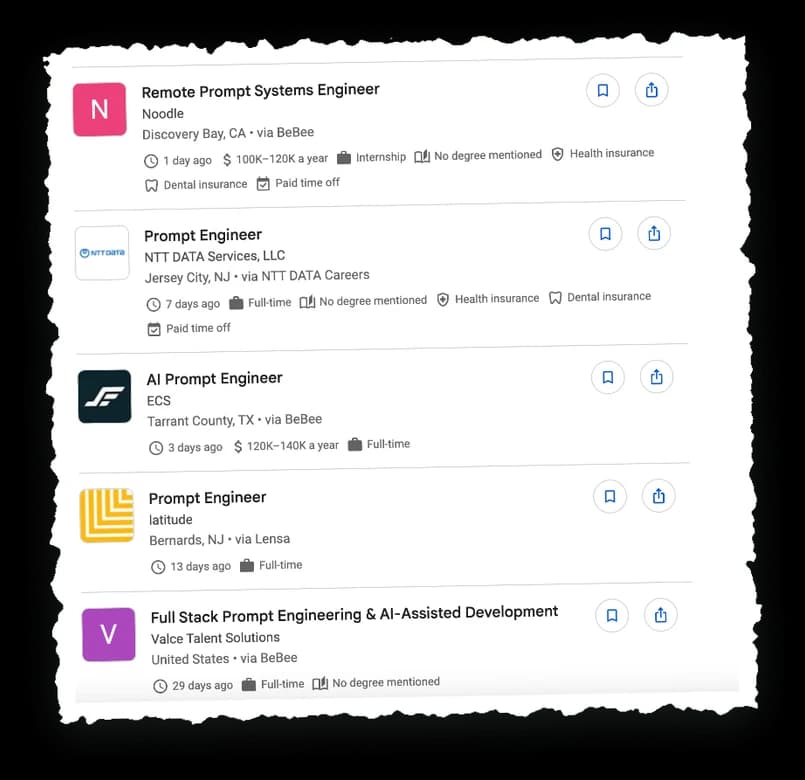
The problem with prompt engineering: it meant structuring your prompt in a way that you could generate a much better output from the LLM than if you didn’t. That’s a non-starter for a lot of busy business owners or non-technical people. Who had time to learn a new way to goad an LLM to give you a good answer?
I mean did we honestly need to tell the AI “I’ll pay you a hundred dollars to get this right.” in order for it to give us a right answer?!!!!
Prompting gives way to context engineering
Context engineering is the practice of giving an AI everything it needs to do the job, not just a well-worded request.
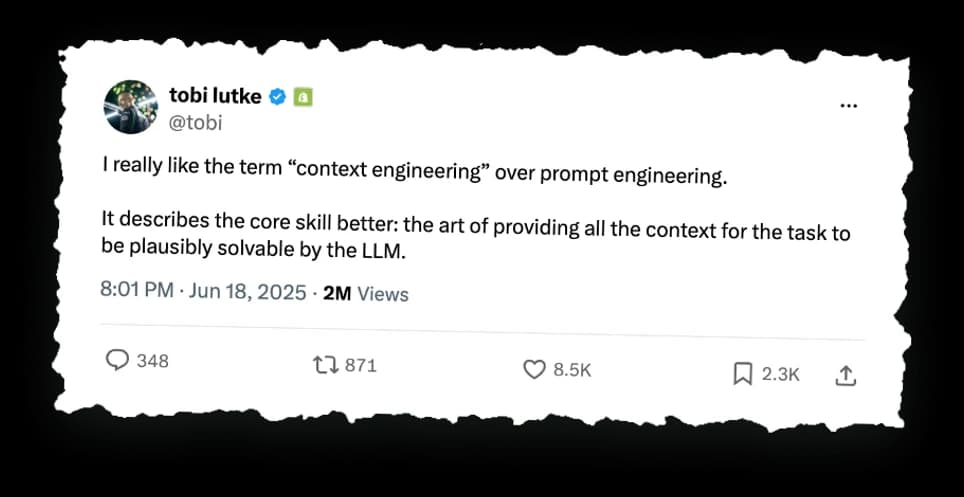
In June 2025, Shopify CEO Tobi Lutke said on X that he liked the term “context engineering” over “prompt engineering,” because it better describes the core skill: “the art of providing all the context for the task to be plausibly solvable by the LLM.”
Andrej Karpathy added his support in the same month, writing that people associate prompts with short task descriptions, while in serious AI applications, context engineering is “the delicate art and science of filling the context window with just the right information.” See Karpathy’s post on X.
The “context window” is simply everything the AI can see at one time. Your question, your files, the earlier part of the conversation, the instructions you gave it. I like to think of it as a pot on the stove you fill with all the ingredients for your dish. Like the pot, the context window has a limit.
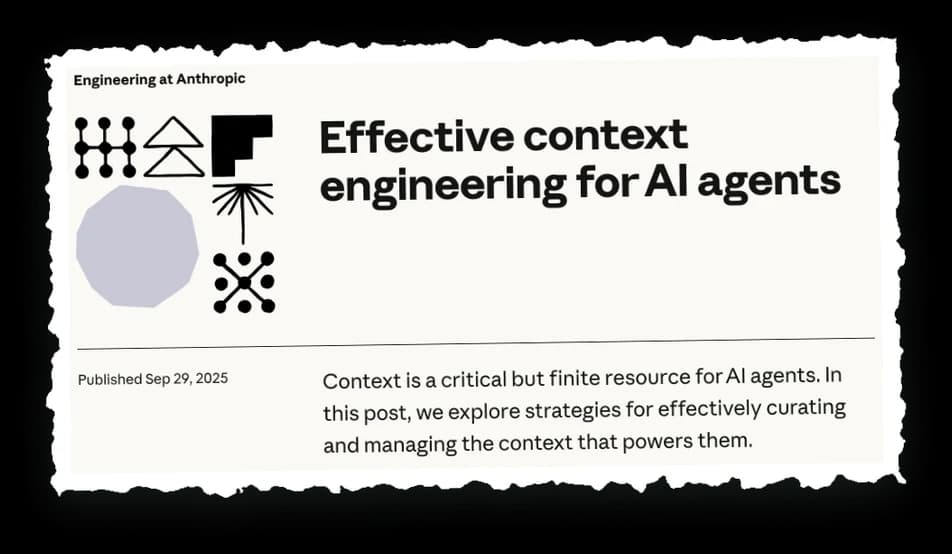
On September 29, 2025, Anthropic published “Effective context engineering for AI agents.” It defines context engineering as the strategies for curating and maintaining the best set of information the model sees while it works, including information that lands there outside of the prompts.
This meant the question could move from “how do I word this for AI?” to “what does the AI need to know to generate a good output?” That is a much more natural question for us non-techies to answer. You already know your business. You just have to share that context.
But knowing what to say is only half of it. Getting the AI to do the work well every time, without you re-explaining, is the next problem.
What is harness engineering?
Harness engineering is the practice of building the setup around an AI so it does the work reliably.
A harness is the gear around the model: your context, its instructions, the tools it can use, the checks that catch its errors.
The term comes from software engineering. Mitchell Hashimoto wrote in “My AI Adoption Journey” that he had “grown to calling this ‘harness engineering.’” His definition: anytime you find an agent makes a mistake, you take the time to engineer a solution so the agent never makes that mistake again.
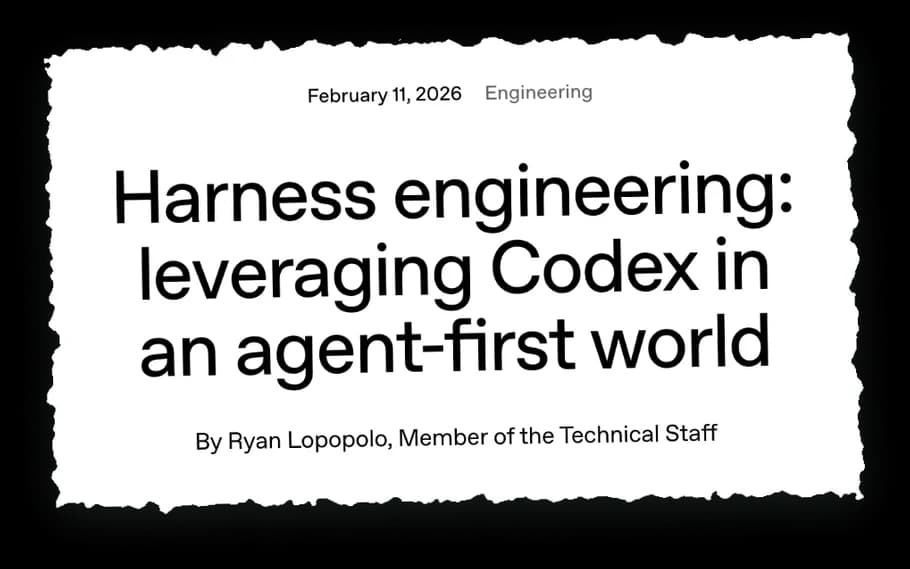
Six days later, OpenAI’s Ryan Lopopolo published “Harness engineering: leveraging Codex in an agent-first world.” The line that sums up the piece: “Humans steer. Agents execute.”
Side note: Notice how Anthropic or OpenAI will validate a related term. Do you think they’ll write a post for us non-techies to validate Yap engineering? 🤞🏾
All of the technical posts were clearly written with AI researchers and software engineers in mind. But the idea underneath carries over to we mere non-technical mortals. The more you build around the AI (the instructions, the tools, the checks), the less you have to explain every single time.
Personally, that is the part I care about most. Because if the harness is doing the heavy lifting, I can do something I truly enjoy.
Yap.
What is yap engineering?
Yap engineering is the process of talking (not typing) to your AI in unscripted paragraphs, to give it a thorough understanding of what you want. You use the built-in microphone (or your machine’s), a third-party dictation app such as Wispr Flow, or even the AI’s voice mode and let the setup (model + harness) handle the rest.
Now let’s be clear. This is not a Merriam-Webster or Anthropic approved definition. And to be honest, I’m not sure if anyone else has coined it yet, but it’s how I describe my process and, in my mind, it’s a term we non-engineers can easily understand.
Prompt engineering asked you to write the perfect instructions. Context engineering asked you to supply the right information. Harness engineering asked you to build the environment.
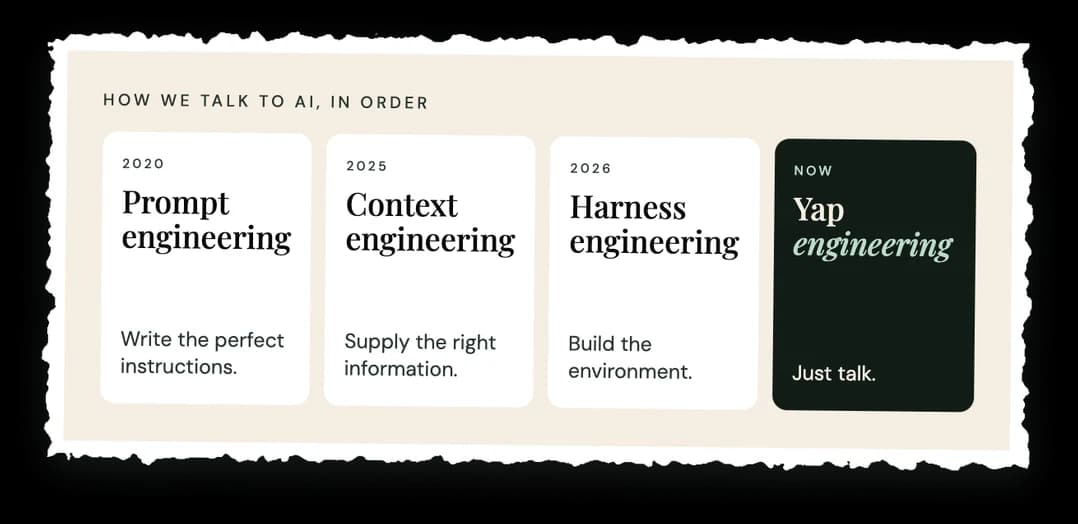
Yap engineering says: if the harness and the context are in place, you don’t need a clever or even well-thought out prompt. You simply need to talk.
The AI works out what you’re after from what you said, and with enough context behind it can make something for you, take action on your behalf, or give you the information you need.
The harness matters here. Tools like Claude Cowork help make this work, because they give the AI the files, connections and skills it needs. You still have to provide enough context for high quality output. You just do not have to write it all out as a perfectly crafted prompt.
As with anything, there’s a good way and a not so good way to yap to your AI. If you can easily type it, I say do that instead. But if you have a lot of instructions or ideas you want to get out of your head, yapping is the way to go.
Many AI experts and solo entrepreneurs alike speak openly about the effectiveness of talking to Claude or ChatGPT. No long prompts, no deep context rituals. The barrier to making something has moved from “can you write the perfect prompt?” to “can you explain what you want?”
I have also found that Claude’s voice mode, where it talks back and forth with you, is an even better way to yap, because the conversation helps pull the idea out of your head. (I will write more about voice mode in its own piece.)
And for those of us who are not engineers, this is the whole point. I am not an engineer. If you run a small or solo business, you are probably not one either. You have no time to learn all of the complexities of engaging with AI. But I bet you know exactly how to talk about your work.
Is talking to AI faster than typing?
Yes, and by a lot. In a Stanford study, people dictating short messages on a phone averaged 161.20 words per minute in English, compared with 53.46 on the phone’s keyboard. That is about three times faster.
The study, “Speech Is 3x Faster than Typing for English and Mandarin Text Entry on Mobile Devices,” by Sherry Ruan, Jacob Wobbrock, Kenny Liou, Andrew Ng and James Landay,. See the Stanford HCI paper.
A fair caveat: that was short messages, on a phone, in a lab. Still... it fits what I see in my own work.
What about regular typing? A large study of about 168,000 typists (Dhakal and colleagues, 2018) found the average speed was 51.56 words per minute. So the average typist is not far from the phone-keyboard number above. See Dhakal et al., CHI 2018.
Wispr Flow, a dictation tool, says the average person types about 45 words per minute and speaks about 220, which it describes as four times faster. That is the company’s claim, so treat it with a grain of salt.
But speed is only half of it. The part I truly care about is what happens to the idea.
When we write, we edit ourselves as we go. We stop, delete, reword, second-guess, and fix a sentence before we finish the thought. I can’t tell you how many times I’ve written an article, paper, or just about anything and by the time I’m done typing a lot of things I meant to say never make it to the draft and I wonder why the piece is ‘missing something.’
When we talk, the thought comes out whole. We explain, we back up, we add the example that makes it click or a side note if you like to keep things spicy. That is exactly the material an AI needs to understand what you are trying to accomplish. It does not need your sentences polished. It needs your thinking, your voice, with all the context attached.
One caveat from my own practice: I treat the voice pass as the first draft. I yap first, then I edit what comes back with the keyboard. Talking is great for getting the thinking out. Typing is still great for tightening it.
Does talking out loud help you think better?
Often, yes, with limits. Here is what the research says.
- Explaining out loud helps you understand. In a classic 1994 study, eighth graders who were prompted to explain a passage to themselves, line by line, understood it better than students who just read it twice. It was a small study, 24 students, and the task was explaining a text, not brainstorming.
- Getting ready to explain helps you organize. Logan Fiorella and Richard Mayer found that people who expected to teach a lesson did better on a test right afterward than people who just studied it. The edge was gone a week later. The likely reason: they picked out and organized the key points.
- Putting a feeling into words can settle it. In a brain imaging study, naming the emotion in a picture calmed the brain’s alarm center, the amygdala, more than other tasks did. If part of what you want to say is a fear, saying it plainly may help.
- A little planning makes talking smoother. Research on people speaking a second language found that planning before talking helped fluency most reliably, and helped accuracy less.
Now the honest part. Talking is not magic. In one well known study, students who were asked to analyze why they liked certain jams chose worse than students who did not. Digging for reasons can backfire. So yap about what you know, what you want and what you have seen. Then decide.
None of these studies tested talking to an AI. I am connecting the dots. The studies are the dots. The line between them is my view.
When should I not yap to AI?
Do not yap when the thing you want to say is short enough that you could just type it.
If the yap would be a sentence or two, talking will not add much more, truth be told. Type it and move on.
Yapping earns its keep when you are trying to build something, or explain a concept or an idea that is still living in your head. That is where there is so much to say, and where the editing we do as writers would otherwise get in the way.
The other time not to yap is when you do not know what you want. This is the main way yapping has gone wrong for me; I did not have a clear intention or goal... just vibes. Yes, I know it sounds funny to say you should just yap and also that you need a goal. But a brain dump with no destination gives the AI a lot of words and no direction.
The other risk is a misheard word. Dictation turns your speech into text first, so a name or a number can come out wrong, and the AI works from what it was given. Skim the draft for anything that does not sound like what you said or simply correct the AI to get it on the right track.
Why does yap engineering only work with the right skills behind it?
Because talking only gets you the output you want if the AI knows how to do the job, and that knowledge lives in skills and memory.
A skill is a set of instructions for your AI to follow, based on the work being done. Here is how I think about it.
Picture an office. Every employee has a particular set of skills. Someone in recruiting has different skills than someone in marketing, and someone in marketing has different skills than a software engineer. What sets them apart is the skills they use to do their jobs well. The recruiter has the skill of negotiation. The marketer has the skill of demand generation. The software engineer has the skill of systems thinking. None of them use those skills all the time. They use them when the job calls for it.
AI works the same way. You might have a very specific job for it, and it calls on the skill that matches. The skill is the set of instructions that makes sure the work gets done correctly.
In practical terms, a skill is written as a markdown file. Markdown is just a format with simple marks for headings and lists. At the top of that file sits something called YAML front matter, which is a short label block with the skill’s name and a description of what it is for.
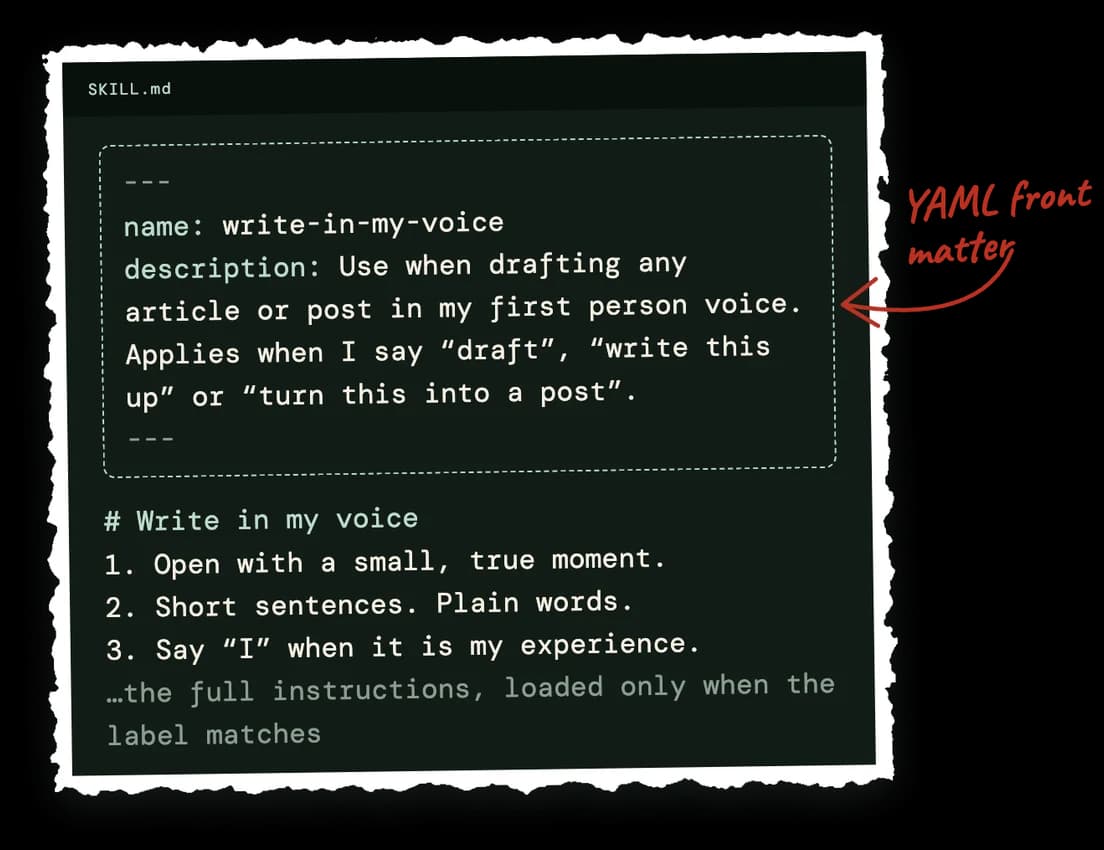
That label is the clever part. When you have a lot of skills, how does your AI know which one to use and when? It can scan the overview (called front matter) of every skill very quickly, before reading the whole thing, because some skills get pretty long. It asks: what did this person just talk about? Is it related to this skill? Yes or no. It looks at the whole list at once, then loads the full instructions only for the skills that match.
One more thing worth knowing: when you find yourself repeating work, make it a skill. That way you are not writing the same instructions over and over and over again.
Once you have a good workflow or process, you turn it into a skill, and the AI knows what to do automatically. It can take the multiple steps inside that skill and finish the job without you prompting, or even yapping, your way through it every single time.
And we all love to save our time, right?
Here is my proof. When I write an article, I can freely talk and know the draft is going to come back close enough that only minor edits are needed before it goes live. That is because I have built and refined the right skills for it. For example, I have one for research, one to write in my voice, and even one to audit my article for things important to my business. The voice skill is why the article carries the weight of a human experience, and does not read like an AI writing about something.
Without those skills, the yap would be just that: a lot of talking. With them, it is a strong first draft.
(I plan to write a separate piece on what a Claude skill is and why non-techies should care, so keep an eye out.)
How do I map my thoughts before I yap?
Spend two minutes before you start. You are not writing a script. You are making a rough map, so you know where you are going.
- Write your point in one sentence. If you could only say one thing, what would it be? Say it first when you start talking.
- List the two or three things that support it. Short phrases are fine.
- Add one example for each. A client, a moment, a number, a story. Examples are what the AI cannot invent.
- Say what you want back. An email, a plan, a list.
- Then talk. Use the map as a guide, not a script. Go off it when a better thought shows up.
If you get stuck in the middle, do not stop. Say “let me say that another way” and keep going. That is how most of us sort out what we think.
Want to get better at this? Record a voice memo, listen back, and notice where you wandered. Practice on a friend. Join a speaking group like Toastmasters. Or use Claude’s voice mode, because it asks questions back and helps pull the idea out of your head.
How do I yap well?
Start with a clear goal, then talk for as long as it takes to get the whole picture out.
Here is the order I follow:
- Say what you want to end up with. An article, a plan, an email, a list, an analysis. The main way yapping goes wrong is unclear intent, so say the goal out loud at the start.
- Say who it is for. The reader, the customer, the client, or you.
- Give your point of view. What you believe, what you have seen, what you would tell a friend. This is the part the AI cannot invent for you.
- Ramble. Length is fine. Order is optional. Repeat yourself if you need to. A real brain dump gives the AI far more to work with than a tidy sentence.
- Tell it where to fill in. If you want facts, data or research, ask for it and ask for it to be citable.
- Let it ask you questions. That is why the template below ends with it.
If you want a starting point, here is a template you can paste in, or say out loud:

Here’s everything on my plate this week: [the messy brain dump]. Please sort it into what needs me, what you can take off my plate, and what can wait. Ask me clarifying questions.
Notice what is not in that template: no special wording and no clever prompt structure. The structure is who you are, what is on your plate, what you want back, and permission for the AI to ask you questions.
Once the AI output comes back, continue to yap and refine until it produces what you need.
What tools do I need to talk to AI instead of typing?
You need one of two things: a dictation tool that turns your speech into text, or a voice mode built into the AI you already use.
- A dictation tool such as Wispr Flow. Dictation tools turn your speech into text anywhere you can type, so you can use them alongside Claude, ChatGPT or Gemini. Wispr Flow is one example, and there are many others.
- The built-in microphone. Many of the AI apps have a microphone button, so you can talk and have your words turned into text in the chat box.
- Voice modes. Many AI tools also have a voice mode. I have found Claude’s voice mode especially good, because it has a conversation back and forth with you. I will cover it in more detail in a dedicated piece.
I would start with whatever you already have. If your phone has a mic button, you are ready.
What I’ve used yap engineering for
Every article on velvetrook.com was made by me simply yapping to Claude. That includes AI for Small Business Owners Who Wear Every Hat and AI for Real Estate Agents.
Yapping made light work of a process that used to take me hours. Now it takes about 20 to 30 minutes. Here is what I do:
- I talk off the top of my head about the topic, my point of view and a few interesting things I want to say.
- I ask Claude to fill in some research with data that can be cited.
- Claude puts together a draft, using the skills I described above.
- I edit the draft.
- Claude calls Codex to create an image.
- I approve.
- Claude posts.
The articles are also optimized for SEO (search engines like Google), AEO (answer engines, which give people direct answers) and GEO (generative engines, the AI tools that cite sources in their answers).
If you are a real estate agent, I am pretty sure you explain things out loud all day long. Many of my clients are a team of one, running an entire business alone. Yapping saves them so much time.
I use yap engineering for much more than articles. I have done a really deep analysis of my business this way, by talking to Claude.
Want more of this?
If you would like more yap engineering as I figure it out, subscribe to my email list. You will get new pieces when they are published. If it is not for you, no hard feelings, and you can unsubscribe whenever you like.
Here is the thing I keep coming back to. There are so many opportunities to use AI to create things we have never created before, and for those of us who are not engineers, sometimes the only limit is how well we can explain what we are trying to accomplish.
Happy yapping
KC
I’m KC, founder of Velvet Rook. I build AI operations for small business owners.